
If you’re searching for the best CRM software in 2026, you’re probably not doing it for fun. You’re doing it because leads are growing, follow-ups are getting messy, and your team is juggling too many spreadsheets, inbox threads, and “Did anyone reply to this?” moments. I have been there, and I know how quickly things can slip when you don’t have one clear place to track customers and deals.
In this blog, I’m sharing the 10 Best CRM Tools for Growing Businesses in 2026. I picked these options for one simple reason: they help you stay organized, respond faster, and build a sales process your team will actually use, even as you scale.
How We Picked These CRM Platforms
To narrow down the Best CRM Tools for growing businesses, I used a simple framework. The goal was not to chase the longest feature list. It was to find tools that actually make your day easier as your team grows.
- Core CRM strength: I started with the basics that make a CRM truly usable day to day: how easily you can store and find contacts, track deals across a clear pipeline, and log calls, emails, meetings, and notes without extra effort. If these fundamentals are clunky, teams stop using the CRM and everything else becomes noise.
- Automation and AI: Next, I looked for automation that actually saves time, like follow-up reminders, task creation, simple workflows, lead prioritization, and forecasting support. The idea was to reduce manual chasing and data entry, so you spend more time closing deals and less time updating records.
- Ease of adoption: A CRM only works if your team uses it consistently, so I prioritized tools that feel simple from day one. That means clean navigation, fast onboarding, and everyday actions like updating a deal stage or adding a note taking seconds, not minutes.
- Integrations: Since most businesses already rely on email, calendars, helpdesk tools, and collaboration apps, I checked how smoothly each CRM fits into that workflow. A strong CRM should connect your tools and keep customer context in one place, not make you jump between tabs all day.
- Growth fit: Finally, I evaluated whether the CRM can scale with you, like adding more users, pipelines, permissions, and reporting without turning into a complicated admin project. The best CRM software should support your growth instead of forcing a painful switch right when things start working.
10 Best CRM Tools in 2026
1. BIGContacts – Best for Contact Management & Email Marketing for Growing Businesses
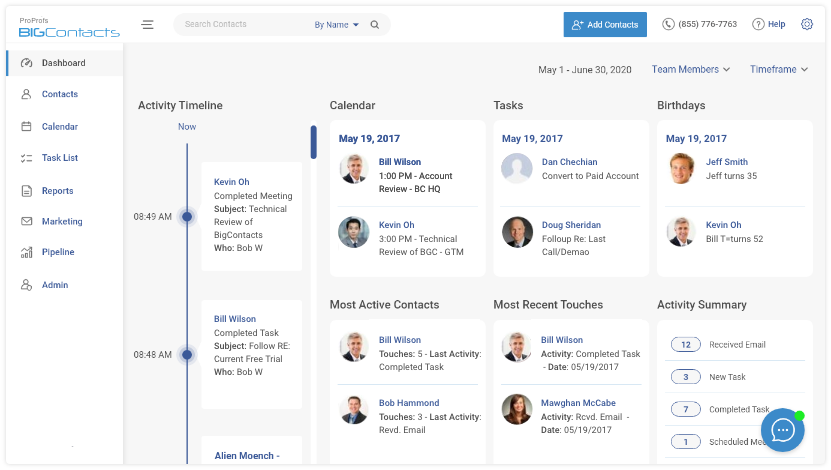
If your contact list is messy and follow-ups are falling through the cracks, BIGContacts keeps things organized without feeling heavy. You get clean contact management, deals, tasks, and simple email nurturing so your team can stay consistent as leads increase.
Pros:
- Easy way to centralize contacts, notes, and follow-ups
- Built-in reminders and task flows that reduce “what do I do next?” moments
- Pipeline tracking that works well for straightforward sales processes
- Email nurture options for staying in touch over time
Cons:
- No downloadable or on-premise version
- Dark user interface option not available
Pricing:
Forever free for small teams. Paid starts at $9.99.
2. HubSpot – Best for Centralizing Sales, Marketing, & Support Operations
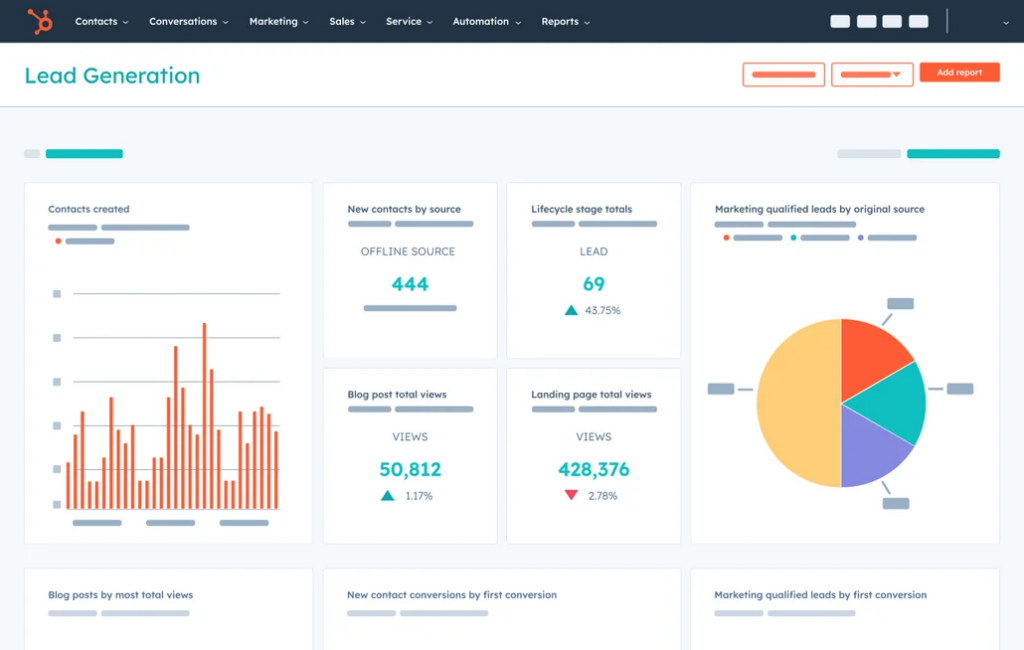
HubSpot is a popular “start now, expand later” choice. You can begin with the free CRM for contacts, deals, and basic tracking, then upgrade when you need more automation, reporting, and sales execution tools.
Pros
- Generous free CRM for getting started quickly
- Strong ecosystem across sales, marketing, and service tools
- Good reporting and visibility once you scale into paid tiers
- Solid onboarding resources for new CRM users
Cons
- Costs can rise quickly as you add seats and advanced features
- Some features require onboarding fees at higher tiers
Pricing:
Starts at $15/user/month.
3. Zoho CRM – Best for Omnichannel Engagement
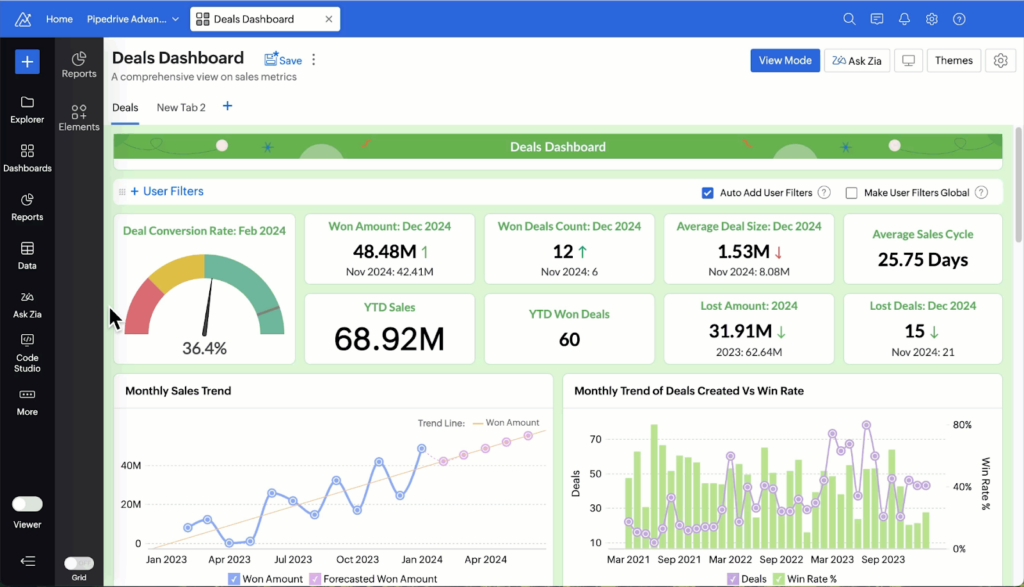
Zoho is a strong option when you want more customization and automation without enterprise pricing. It works well if your process is unique and you want the CRM to adapt to it, not the other way around.
Pros
- Custom fields, modules, and workflows for tailored pipelines
- Good value for feature depth at SMB pricing
- Works well if you already use Zoho apps
- Scales from small teams to larger setups
Cons
- Can take time to configure properly
- Interface can feel dense for first-time CRM users
Pricing:
Starts at $14/user/month.
4. Pipedrive – Best for Sales Pipeline Management
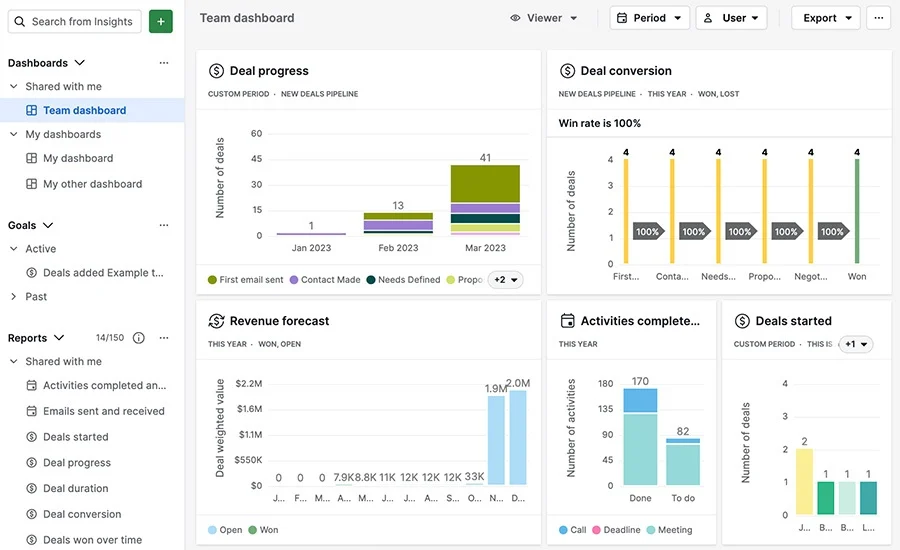
Pipedrive is built for sales teams that live and die by the pipeline, so everything feels centered around moving deals forward. The visual pipeline makes it easy to spot what is stuck, what needs a follow-up, and what is likely to close soon. I also like that logging calls, emails, notes, and next steps feels quick, which means reps are more likely to keep the CRM updated.
Pros
- Very visual pipeline that makes deal status obvious
- Great for activity tracking and follow-up discipline
- Helpful automation for routine sales actions
- Wide integration support
Cons
- Not as strong for full-funnel marketing out of the box
- Reporting depth can require higher tiers
Pricing:
Starts at $14/user/month.
5. Freshsales – Best for AI-Powered Sales Campaigns
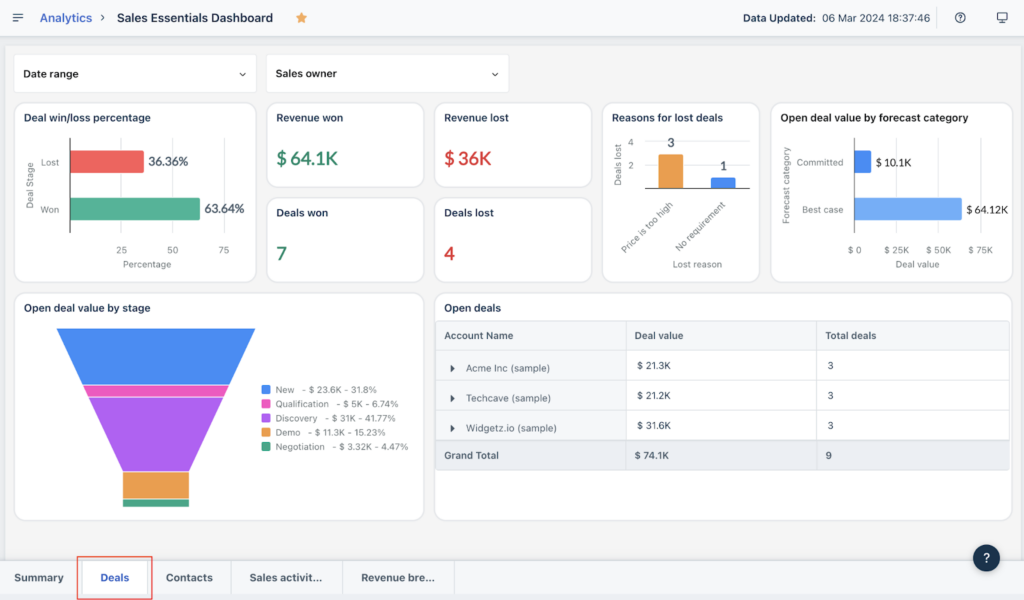
Freshsales is for teams that want to do the actual sales work inside the CRM, instead of bouncing between separate tools for calls, emails, notes, and follow-ups. Because communication is built in, it is easier to track every conversation in one place and keep the full context on a deal. The automation is also practical for growing teams, like setting reminders, assigning tasks, and nudging reps when a lead goes cold.
Pros
- Strong “sales execution” feel for reps doing daily outreach
- Built-in phone and email features reduce tool switching
- Helpful automation for follow-ups and task assignment
- Good value compared to many bigger CRMs
Cons
- Some advanced features are locked to higher tiers
- Best experience often comes when you adopt more of the Freshworks ecosystem
Pricing:
Starts at $15/user/month.
6. Zendesk Sell – Best for Sales & Support Alignment
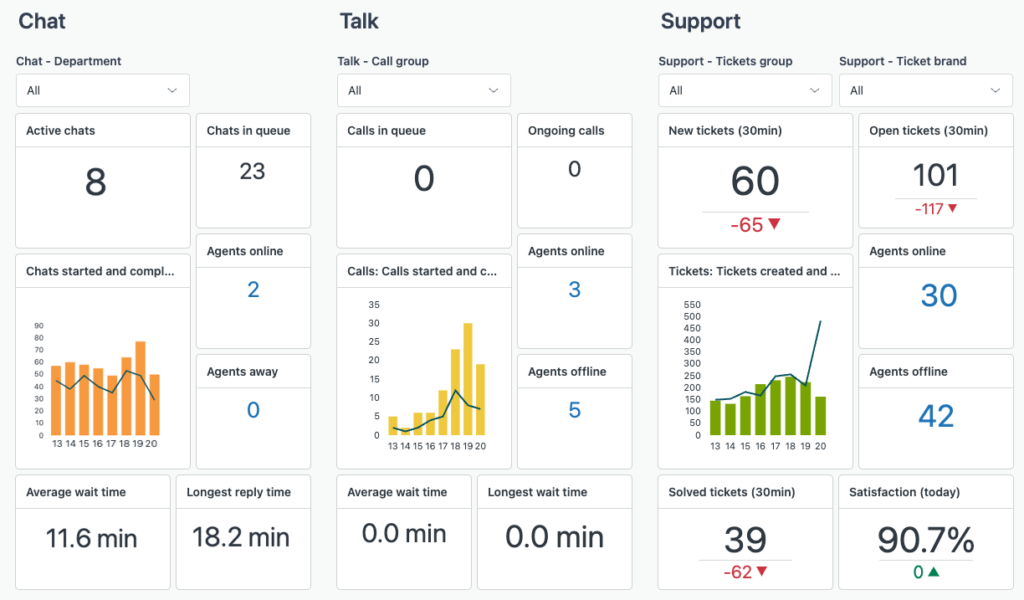
Zendesk Sell makes a lot of sense when your sales and support teams need to stay on the same page. If customer conversations already happen in Zendesk, Sell helps your sales team see the full story before they reach out, like past tickets, issues, and context that can shape the pitch. That also reduces awkward moments where sales promises something support cannot deliver.
Pros:
- Smooth fit if you already use Zendesk for customer support
- Clean interface and strong mobile experience
- Good pipeline visibility and forecasting tools
- Helpful integrations for email and productivity apps
Cons:
- No free plan
- Some advanced functionality is tier-gated
Pricing:
Starts at $19/user/month.
7. Insightly – Project-Oriented Businesses
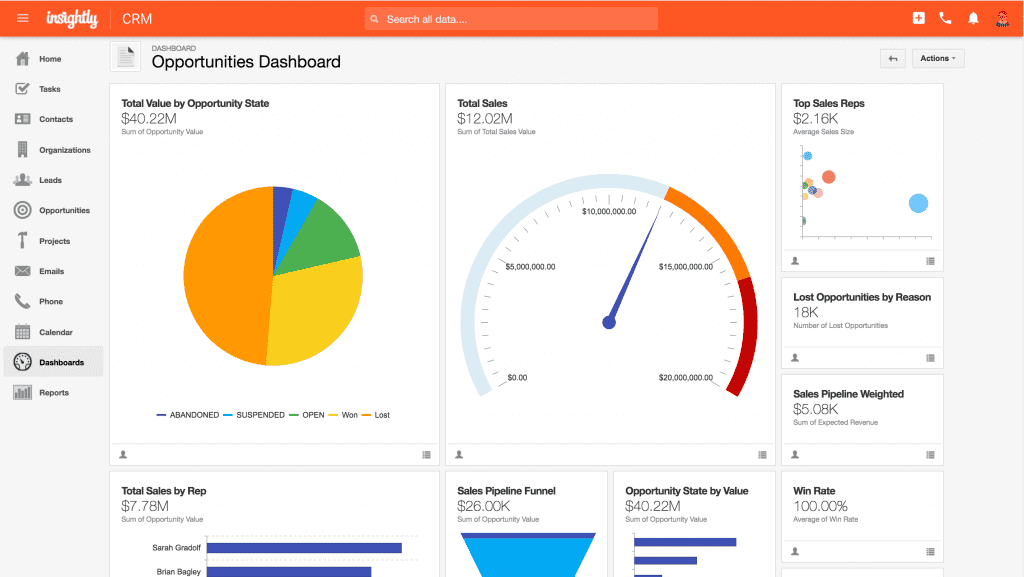
Insightly is a good pick when your sales work does not end at “deal won,” because delivery is just as important as closing. If you sell services or manage client projects, it helps to keep customer details, timelines, and next steps connected instead of spread across different tools. This makes handoffs smoother because the team doing the work can see exactly what was promised and what needs to happen next.
Pros
- CRM plus workflows that support post-sale delivery
- Good for teams that want structure without a huge admin burden
- Useful integrations for common business tools
- Clear tiering as you grow
Cons
- Some deeper automation requires higher plans
- Not the most marketing-heavy CRM out of the box
Pricing:
Starts at $29/user/month.
8. SugarCRM – Best for Automated Sales Workflows
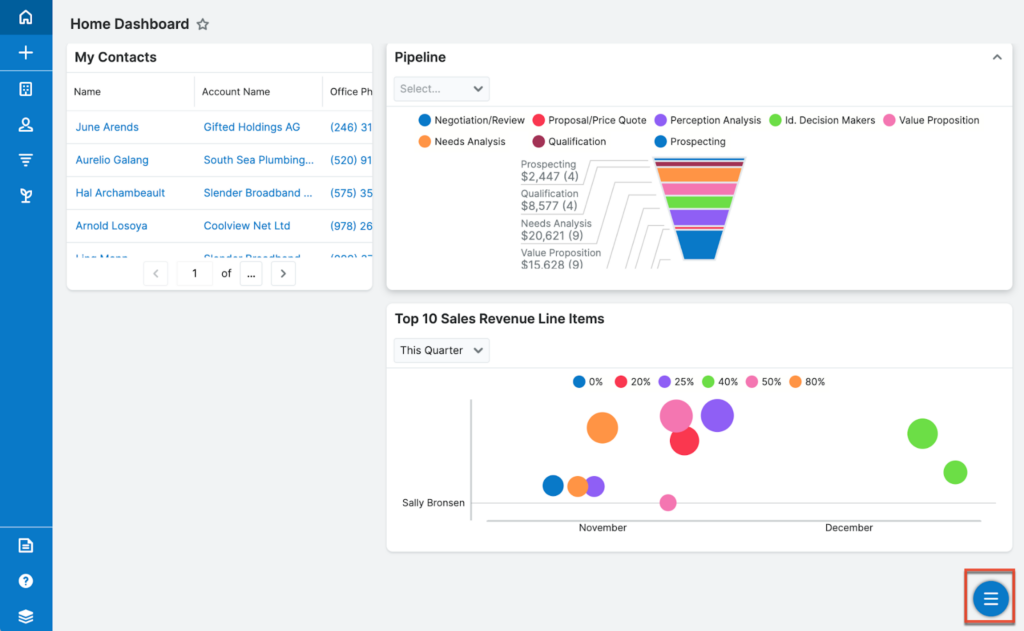
SugarCRM is often chosen by teams that do not want to adjust their entire sales process just to fit a CRM’s default setup. If your workflows are specific, like custom deal stages, unique data fields, or approval steps, Sugar gives you more room to shape the system around how your team actually sells. That flexibility can be a big win as you grow and your process becomes more structured.
Pros:
- Strong customization and configuration options
- Useful for complex data models and processes
- Good fit for businesses that need structured workflows
- Supports integrations and tailored implementations
Cons
- Can require more setup time and admin attention
- Costs can climb with advanced tiers and add-ons
Pricing:
Starts at $59/user/month.
9. Microsoft Dynamics 365 – Best for Collaboration Workflows
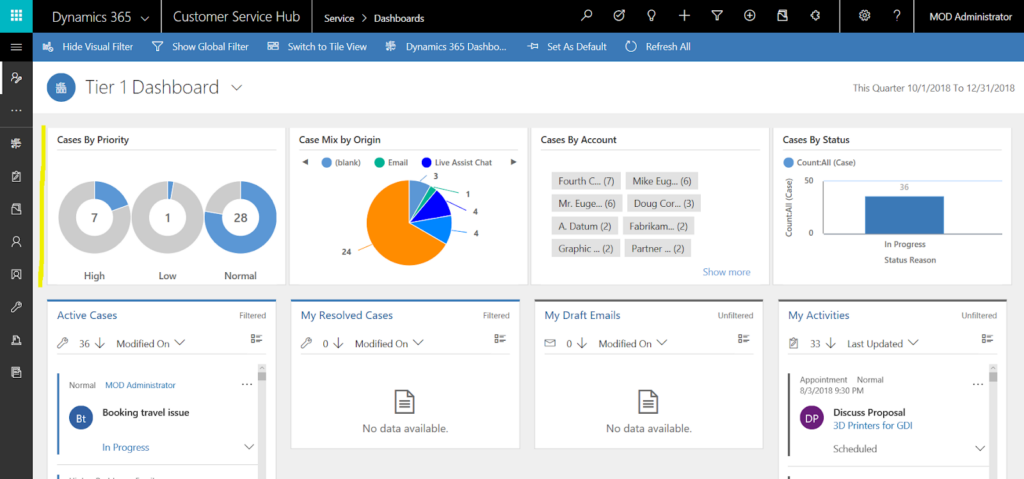
Microsoft Teams is not a CRM on its own, so it will not manage your leads, deals, or pipelines the way a true CRM does. In the Microsoft ecosystem, the usual CRM choice is Dynamics 365 Sales, and Teams becomes valuable because it brings collaboration right into the flow of selling. Instead of switching between chat and CRM screens, your team can discuss an opportunity, share updates, and stay aligned while looking at the same customer record.
Pros
- Strong fit if you already run Microsoft 365 day to day
- Solid reporting and sales process management at scale
- Collaboration is easier when CRM work and internal chat stay connected
- Good for organizations with more structured sales ops
Cons
- Can feel complex for small teams with simple pipelines
- Implementation often needs planning, setup, and governance
Pricing:
Custom pricing.
10. Salesforce Sales Cloud – Best for Advanced Sales Operations
Salesforce is still the big “build exactly what you need” CRM, especially when your sales operation starts getting more complex. If you manage multiple pipelines, different sales teams, or even different products and regions, it gives you the structure to keep everything organized without mixing data. You also get strong control over permissions, so the right people see the right information, which matters a lot as headcount grows.
Pros
- Deep customization for objects, workflows, and permissions
- Strong reporting and forecasting options
- Huge integration ecosystem and app marketplace
- Built for larger teams and complex processes
Cons
- Setup and ongoing admin effort can be significant
- Total cost can rise with add-ons and higher tiers
Pricing:
Starts at $25/user/month.
How to Choose the Right CRM Tool for Your Business
Here’s a simple way to pick the best CRM software for your team without getting trapped in a “feature comparison” spiral.
1. Start With Your Sales Motion
Before you even look at tools, get clear on how you win deals today. Do leads come through your website, referrals, outbound outreach, partners, or a mix? A CRM should support that flow naturally, like quick lead capture for inbound teams, strong pipeline discipline for outbound teams, or account tracking for longer sales cycles. If the CRM fights your process, your team will end up working around it.
2. List Your Non-Negotiables
Keep this list short and honest. Focus on what your team needs every single day, not what sounds nice on a product page. For most growing teams, the essentials are things like email and calendar sync, a couple of pipelines, easy task reminders, basic automation, clean reporting, and permissions if you have more than one role. If a tool cannot cover your basics smoothly, the fancy features will not save it.
3. Check Time-to-Value
A CRM should start helping you quickly. If setup feels like a “project” that needs weeks of planning, adoption usually drops fast. Look for a tool where you can import contacts, create a pipeline, and start tracking deals within a day or two. The best sign is simple: can your team start using it next Monday without feeling overwhelmed?
4. Audit the Tools You Already Use
Most CRMs look good on their own, but the real test is how well they fit into your current stack. Make a list of what your team uses daily, like Gmail or Outlook, calendars, calling tools, helpdesk, marketing automation, and accounting. A CRM that connects smoothly to your existing workflow will actually get used. A CRM that forces constant switching will feel like extra work.
5. Think About Data Hygiene Early
CRMs fail quietly when the data becomes messy. Duplicate contacts, inconsistent fields, and half-filled records make reporting useless and pipelines unreliable. Choose a CRM that makes it easy to keep data clean, like deduping contacts, standardizing fields, and encouraging reps to log activity quickly. Clean data is what turns a CRM from “storage” into a system you can trust.
6. Run a Real Trial, Not Just a Demo
Demos show the best version of a tool. Trials show the real one. During your trial, do a few practical tasks: import a small contact list, build one pipeline, assign follow-up tasks, run one report, and test one simple automation. If your team struggles with these basics, it is a sign the CRM will become a burden later. The right CRM should feel easy even in week one.
Choose a CRM Your Team Will Stick With and Close More Deals
The best CRM software in 2026 is not the one with the longest feature list. It is the one your team actually enjoys using, because it fits your workflow, keeps your pipeline clean, and makes follow-ups feel automatic instead of stressful.
Start by mapping your sales process, shortlist two or three options from these Best CRM Tools, and test them with real deals and real tasks. When you pick the CRM that feels easiest to run daily, you get the benefit that matters most: better visibility, faster follow-ups, and more deals moving to “closed-won.”
